 MentionBell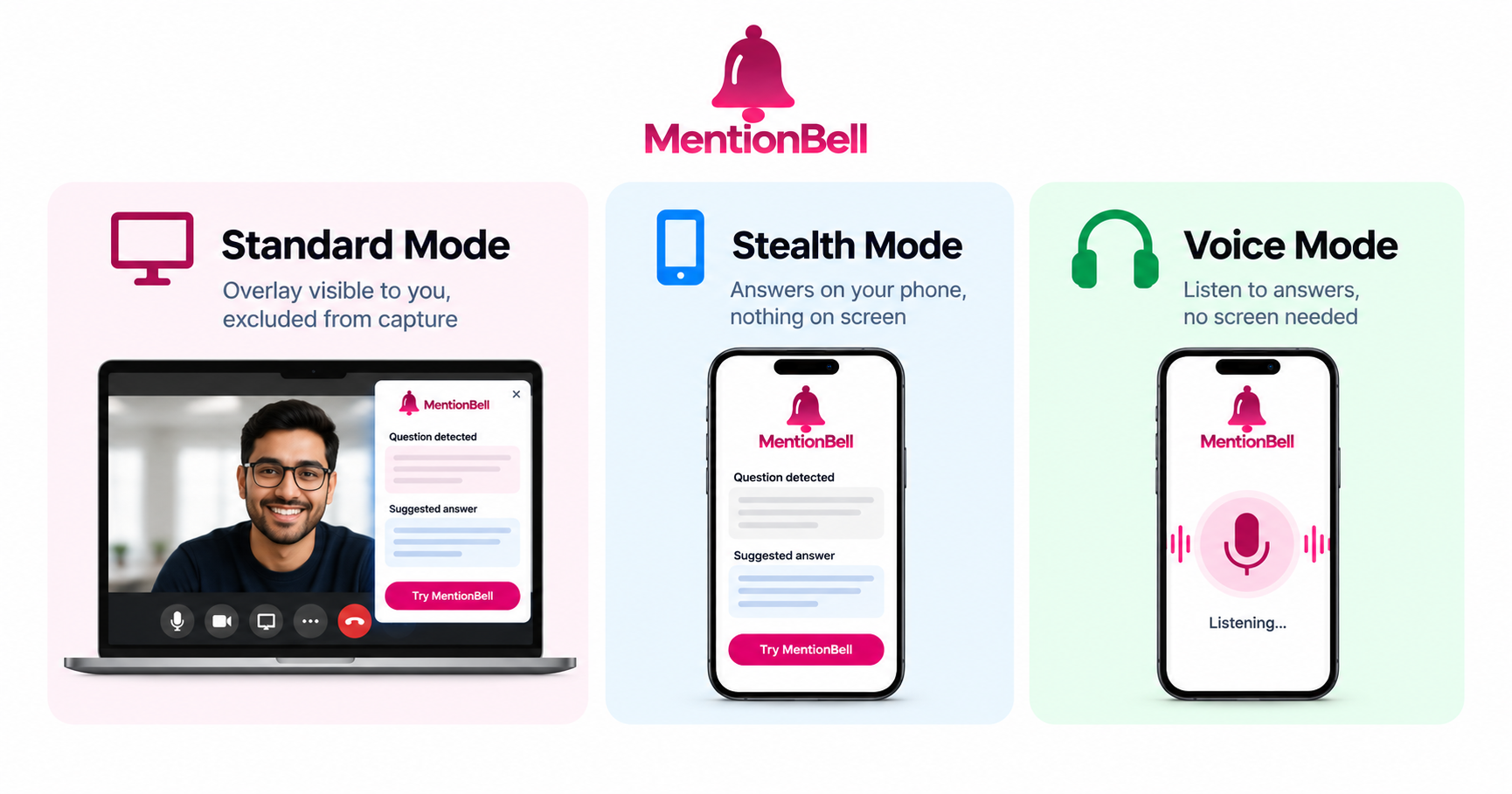
Standard vs Stealth vs Voice Mode: Which to Use When
MentionBell offers three ways to receive answers during a live interview. They are not tiers of quality — they are different delivery methods for different situations. Picking the wrong one can mean glancing at a screen when you should not, or missing an answer because you could not read fast enough.
This guide helps you choose the right mode for each round.
Standard Mode: On-Screen Overlay
In Standard mode, answers appear as a transparent overlay on your laptop or desktop. The overlay sits on top of your interview window but is excluded from screen capture — when the interviewer shares or records, MentionBell does not appear in the feed.
How it works:
Start a session and the overlay appears on your screen
Answers populate as questions are detected
The window is click-through — you can type and click behind it
Adjust transparency to blend with your desktop
Hide or show the overlay with a keyboard shortcut (customizable in settings; default ⌘B / Ctrl+B)
Choose Standard when:
You are not required to share your entire desktop
The interview is behavioral, system design, or a discussion round
You are comfortable reading text while maintaining eye contact
You want the fastest setup — no phone pairing needed
Stealth Mode: Answers on Your Phone
Stealth mode moves answers off your laptop entirely. Your phone becomes a private, read-only display via a QR code at app.mentionbell.com.
Today: Open app.mentionbell.com in your phone's browser on Android or iOS — no install required.
Coming soon: Native MentionBell apps for Android and iOS are launching soon for faster Stealth pairing and full mobile sessions.
How it works:
Start a session on your laptop (it handles listening and generation)
Scan the QR code with your phone and sign in with the same account
Tap Connect, then hide the laptop window
Answers stream to your phone only — the interview machine shows nothing
Your phone never records audio and never sends data to the interview. It only displays what your laptop generates.
Choose Stealth when:
The interviewer asks you to share your entire screen
You want zero visual trace on the interview laptop
You are on a company-issued machine with strict monitoring
You prefer reading answers on a second device at a natural downward glance
Voice Mode: Listen Instead of Read
Voice mode uses text-to-speech to read answers aloud. Instead of looking at a screen, you hear the answer in your earpiece — often a single earbud in one ear while the other stays open for ambient sound.
How it works:
Enable Voice mode in session settings
When an answer is generated, MentionBell reads it through your audio output
You hear the key points while keeping your eyes on the camera
Works alongside Standard or Stealth — Voice is the delivery method, not a separate display
Choose Voice when:
Glancing at any screen would break eye contact noticeably
You process spoken information faster than written text under pressure
You are in a panel interview with multiple people watching your face
You want to combine with Stealth so your phone shows nothing either
Decision Matrix
Behavioral round, no screen share → Standard
System design, shared doc only → Standard
Full desktop screen share required → Stealth
Coding round with problem on screen → Standard + screenshot shortcut
Panel interview, high eye-contact scrutiny → Voice (with Stealth if screen share required)
Phone screen interview → Voice
Company-issued locked-down laptop → Stealth + Voice
Quick practice mock → Standard
Can You Switch Mid-Session?
Yes. You can toggle between Standard and Stealth without restarting the session. If you start in Standard and the interviewer suddenly asks for a full desktop share, switch to Stealth, scan the QR code, and hide the laptop window. Voice mode can be turned on or off at any point.
What All Three Modes Share
Regardless of which mode you pick, every session includes:
CV-grounded answers from your uploaded resume
Partial-speech detection (answers start before the question ends)
Custom instructions applied to every response
Screenshot support for coding problems
Full transcript saved to your account
Mode choice affects delivery only — not answer quality, speed, or grounding.
Recap
Standard — fastest setup, on-screen overlay, best when screen share is limited
Stealth — answers on phone via QR, best when full desktop share is required
Voice — text-to-speech in your ear, best when eye contact matters most
You can combine Stealth + Voice for maximum discretion
All modes use the same CV-grounded engine and unlimited session allowance
Try MentionBell — unlimited sessions on every plan. Download · See pricing
Related reading: